
IPTV App Crashing, Slow TV or Login Problems? Complete Fix Guide
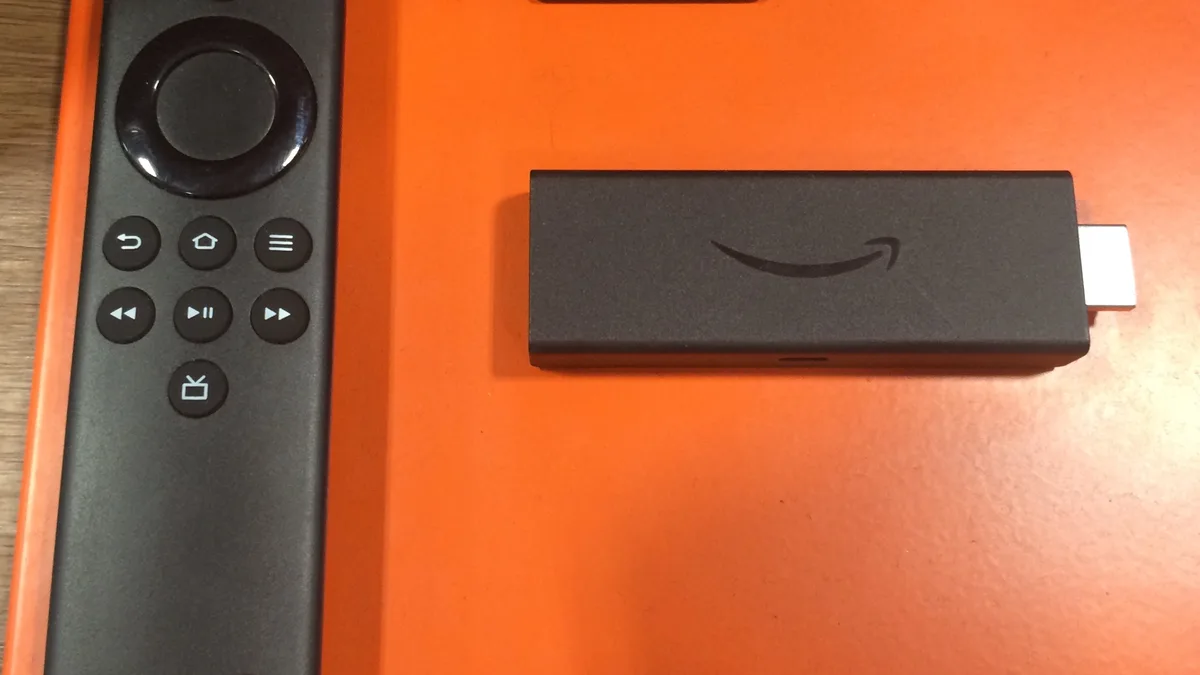
App crashes, a TV that suddenly feels sluggish, or a login screen that won't accept your details are among the most common complaints once the initial excitement of IPTV setup wears off. If you're running into IPTV app problems of any kind, this guide covers the most frequent causes — app-side, device-side, and account-side — and how to work through each one methodically rather than guessing at random fixes.
These issues tend to arrive in clusters rather than one at a time: a device that's started crashing is often the same device that's also feeling sluggish, and a playlist that suddenly stops updating properly can look a lot like a login failure even though the underlying cause is different. Separating out which of these you're actually dealing with is the first real step toward fixing it, rather than trying every fix at once and never being sure what actually worked.
Why IPTV apps crash, slow down, or fail to log in
These three symptoms — crashing, slowness, and login failures — often get lumped together because they tend to show up around the same time on the same aging setup, but they usually have distinct root causes worth separating out:
- Accumulated app cache that grows over time and eventually causes instability, particularly on apps that store a lot of channel and guide data locally.
- Low device storage, which affects app performance well before it triggers an obvious warning, since most devices don't clearly flag "almost full" until it's already causing problems.
- Outdated apps that haven't kept pace with updates to the streaming service or the device's operating system, creating small incompatibilities that show up as crashes.
- Incorrect login details or a malformed playlist URL, often from a copy-paste error that's easy to miss on a small remote-driven keyboard.
- Underpowered or aging devices that struggle to run modern player apps smoothly alongside other background processes, especially once several years old.
Step-by-step: fixing IPTV app crashes and slow performance
1. Restart the device, not just the app
Closing and reopening the app helps with some issues, but a full device restart clears background processes and memory buildup that a simple app restart won't touch — this is worth doing first for both crashing and slowness, and it costs nothing but a minute or two.
2. Check available storage
On Firestick and Android TV devices especially, low storage causes performance problems well before you get an explicit warning. Check your device's storage settings and remove unused apps, old downloads, or games you no longer use if space is limited.
3. Clear the app's cache
Most player apps accumulate cached data over time that can eventually cause crashes or slowdowns. Clearing the app's cache through your device's app settings — without uninstalling it — often resolves this without needing to log in again, since your credentials typically survive a cache clear even though cached channel data doesn't.
4. Update the app to the latest version
If your player app hasn't been updated recently, do that before troubleshooting further. Developers frequently patch stability issues, and an outdated version is one of the more common causes of unexplained crashing that people overlook simply because the app still opens.
5. Uninstall and reinstall as a last resort
If cache clearing and updating don't help, a full reinstall gives you a completely clean version of the app. You'll need your login details or M3U link handy to set it back up, so keep your original welcome email accessible before starting.
6. Close other apps running in the background
On lower-powered devices, other open apps compete for the same limited memory and processing power, which can make an otherwise fine IPTV app feel sluggish or unresponsive even though nothing is technically wrong with it.
7. Confirm your device meets basic performance expectations
Very old streaming sticks and entry-level Smart TV models can struggle with modern player apps regardless of how well they're maintained. If performance issues persist across every fix, the device itself may be the limiting factor — our devices page covers what to look for in a more capable replacement.
Fixing IPTV login problems
Login failures are almost always a data-entry issue rather than an account problem. Double-check your username, password, and server URL against your original welcome email, watching specifically for extra spaces before or after each field, which is one of the most common and hardest-to-spot causes of a rejected login. It's also worth checking that autocorrect or autocapitalize features on a phone or tablet haven't silently altered a field if you typed your details there before transferring them.
Fixing IPTV playlist not loading
If your M3U playlist won't load, confirm the link was copied in full — a cut-off URL is a frequent cause, particularly when copying from an email on a small screen where the full link isn't visible at once. Give it a few minutes after entering it, since a fresh playlist can take time to sync fully, especially on a slower connection. Our M3U playlists guide explains exactly how these links work if you want more background before troubleshooting further.
IPTV app problems on Firestick specifically
Firestick's relatively limited base storage makes it more prone to the performance issues covered above than devices with more headroom. If you're regularly running into slowness or crashes specifically on a Firestick, our Firestick installation guide covers a clean setup process that resolves many of these issues at the source.
App and login problems on Android TV
Android TV devices generally handle app management better than Firestick, but login and playlist issues still show up after a device switches Wi-Fi networks or after a factory reset wipes saved credentials. If an app that was working suddenly asks you to log in again, that's usually expected behavior after an update or reset rather than a sign of a deeper problem — simply re-entering your details resolves it.
When the problem is not your device
If login consistently fails with details you've triple-checked, or a playlist won't populate no matter how long you wait, it's worth confirming your subscription status rather than continuing to troubleshoot locally — an account-side issue looks identical to a technical one from the app's perspective. Xtreme HD IPTV can't fix a device that's fundamentally too old to run current apps smoothly, but we can quickly confirm whether an issue is account-related or technical.
How Xtreme HD IPTV supports setup, login, and playlist issues
Our support team regularly helps customers with exactly this category of problem — confirming account status, double-checking credentials, and helping troubleshoot playlist or app-specific issues on a given device. If you've worked through this guide and things still aren't working, contact Xtreme HD IPTV support with your device and a description of what's happening, and we'll help you sort out whether it's a setup issue or something else.
For a full walkthrough from checkout to first stream, our setup guide covers the general process, and our installation guides break it down further by device.
Keeping your IPTV app running smoothly
A little regular maintenance goes a long way toward preventing this whole category of problem from recurring. Clear your app's cache every month or two rather than waiting for performance to degrade noticeably — this is a thirty-second task that heads off a much longer troubleshooting session later. Keep an eye on your device's available storage the same way, since streaming devices rarely warn you clearly before storage becomes a real problem. Save your login details and M3U link somewhere you can find quickly, whether that's your original welcome email or a notes app, so that a reinstall or a new device setup doesn't turn into a scramble to track down your credentials.
If you manage IPTV across multiple devices in your household, consider standardizing on the same player app where possible — it makes troubleshooting far more predictable when every device behaves the same way, rather than juggling different apps with different quirks and settings menus.
Conclusion
Crashes, slow performance, and login failures feel like separate problems, but they usually trace back to a small, predictable set of causes: cache, storage, outdated software, or a data-entry mistake. Working through the steps above in order will resolve the majority of cases without needing to reach out for help. When it doesn't, our support team is ready to help you figure out what's actually going on with your specific setup.